
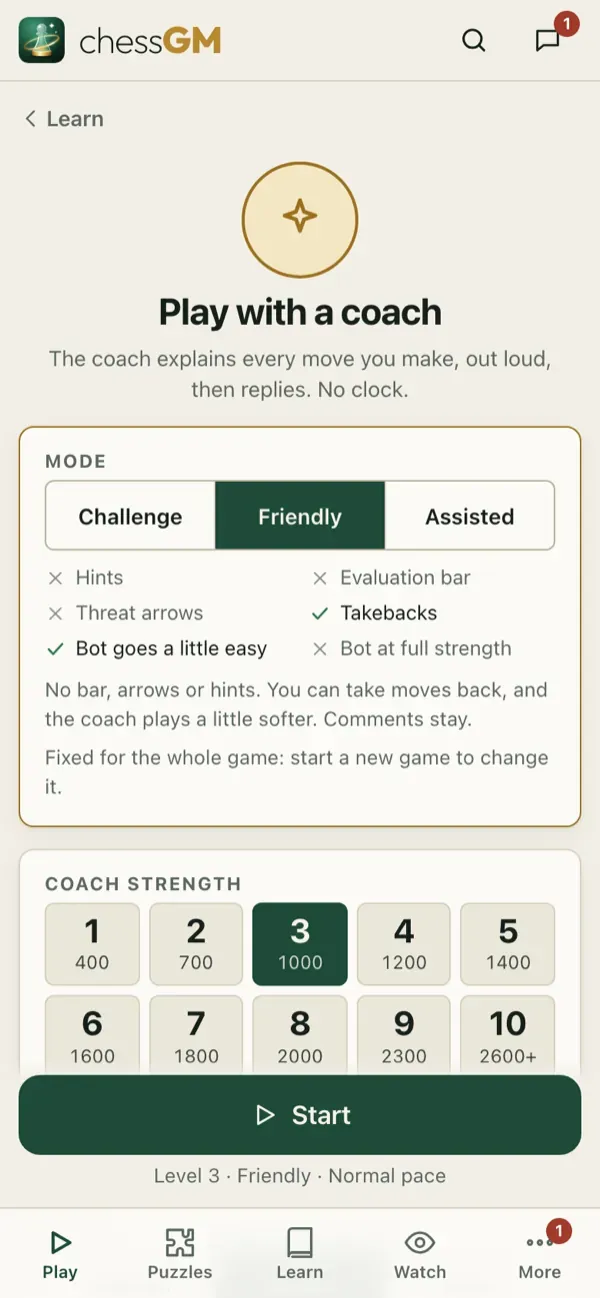
Open Play, Play with coach. You play a bot, and the coach talks to you after each move: what was good, what to watch, and why.
What the coach does
- Comments after your moves and the bot’s replies, in simple words.
- Warns you about threats and shows hints when you ask.
- Speaks aloud in the coach language you chose (English, Bangla or Hindi), with a male or female voice.
- Understands spoken moves if your device supports voice input: say your move, for example “knight f3”.
- Can start from a course position or from any position you want to practise. In Game Review tap Practice to replay a critical moment against the coach.
How to use it
- Choose a bot slightly above your level.
- Keep the volume low and the comments on, and answer the coach’s questions in your head before you move.
- After the game, open the review.
Settings
Voice, speed and language are in Settings. English voices need no download. Other voices download when you choose them (Wi-Fi recommended).
Tip: the coach is best for learning an opening or an ending. Choose the course and play it out.
Open in the app: https://chessgm.net/train/coach
اسے chessGM میں کھولیں (نئے ٹیب میں کھلتا ہے)
chessGM کا Chess.com، Lichess یا Stockfish سے کوئی تعلق نہیں؛ ان کے نام صرف یہ بتانے کے لیے ہیں کہ ایپ کیا پڑھ سکتی ہے یا کس سے موازنہ کر سکتی ہے۔