
Open Play, Play with coach. You play a bot, and the coach talks to you after each move: what was good, what to watch, and why.
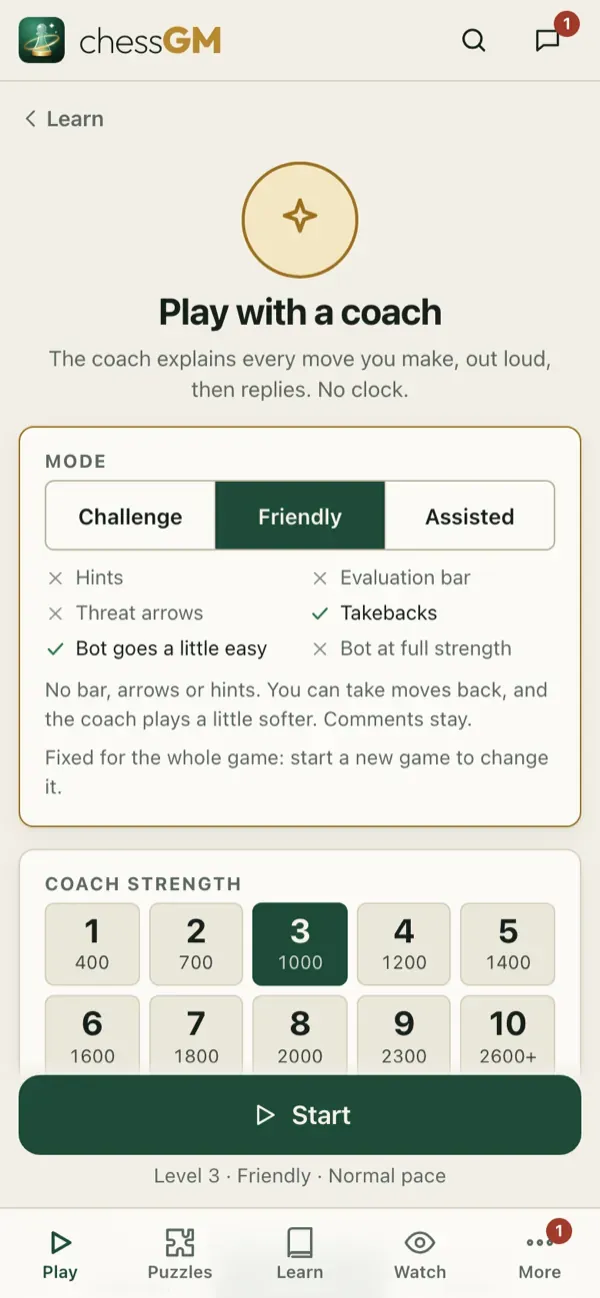
What the coach does
- Comments after your moves and the bot’s replies, in simple words.
- Warns you about threats and shows hints when you ask.
- Speaks aloud in the coach language you chose (English, Bangla or Hindi), with a male or female voice.
- Understands spoken moves if your device supports voice input: say your move, for example “knight f3”.
- Can start from a course position or from any position you want to practise. In Game Review tap Practice to replay a critical moment against the coach.
How to use it
- Choose a bot slightly above your level.
- Keep the volume low and the comments on, and answer the coach’s questions in your head before you move.
- After the game, open the review.
Settings
Voice, speed and language are in Settings. English voices need no download. Other voices download when you choose them (Wi-Fi recommended).
Tip: the coach is best for learning an opening or an ending. Choose the course and play it out.
Open in the app: https://chessgm.net/train/coach
Άνοιγμα στο chessGM (ανοίγει σε νέα καρτέλα)
Το chessGM δεν σχετίζεται με το Chess.com, το Lichess ή το Stockfish· αναφέρονται μόνο για να πούμε τι μπορεί να διαβάσει ή με τι συγκρίνεται η εφαρμογή.