
The first time you press Play, chessGM asks a few quick questions so your games, bots and puzzles start at the right level. You can skip it and answer later.
Three ways to set your level
- Connect chess.com. Type your chess.com username. chessGM reads your public profile and ratings and sets yours to match. It never asks for your chess.com password.
- Enter a rating. Type your chess.com rating, or any Elo you know.
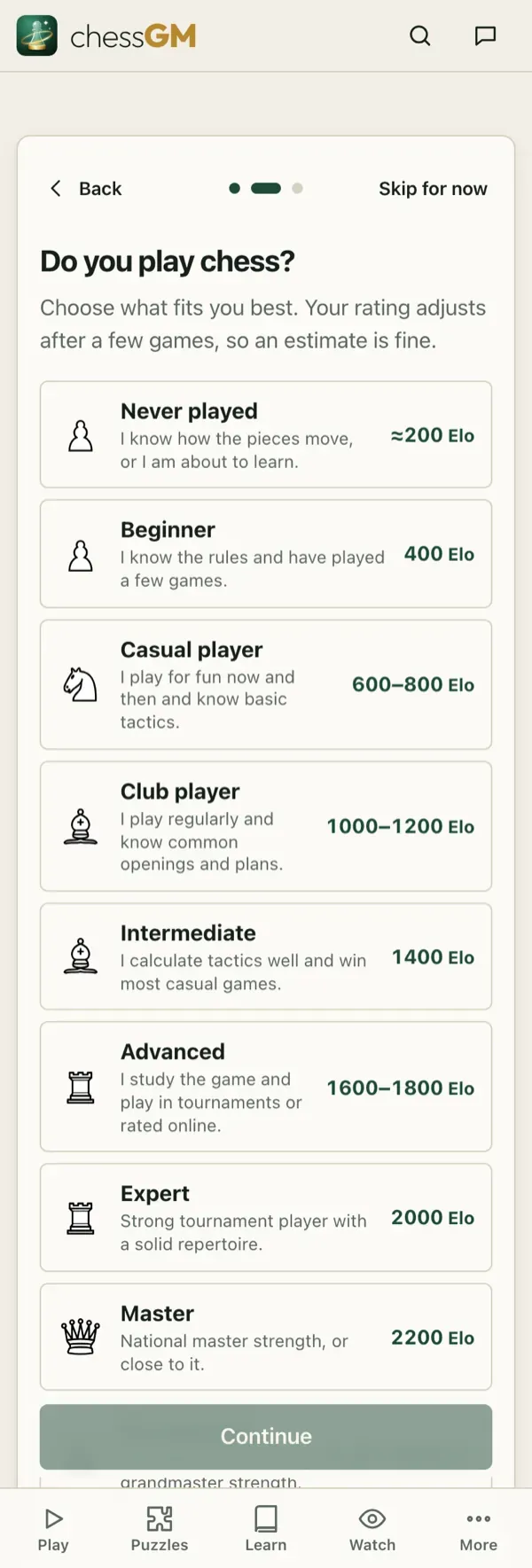
- Describe how you play. Never played, Beginner, Casual, Club player, Intermediate, Advanced, Expert, Master or Grandmaster. An honest guess is fine, your rating adjusts after a few games.
Good to know
- New ratings are provisional and shown with a question mark. They settle after a few games.
- Change your answer any time in Settings under Your chess level. A category that already has real results (for example Rapid) keeps the rating you earned there.
- Your level also decides which courses and bots are recommended to you.
Tip: if you are between two options, pick the lower one. Winning games at the right level teaches more than losing at a level that is too high.
Open in the app: https://chessgm.net/welcome
Άνοιγμα στο chessGM (ανοίγει σε νέα καρτέλα)
Το chessGM δεν σχετίζεται με το Chess.com, το Lichess ή το Stockfish· αναφέρονται μόνο για να πούμε τι μπορεί να διαβάσει ή με τι συγκρίνεται η εφαρμογή.