
Open Learn, Analysis board. It is a free playground that works offline once the engine has loaded.
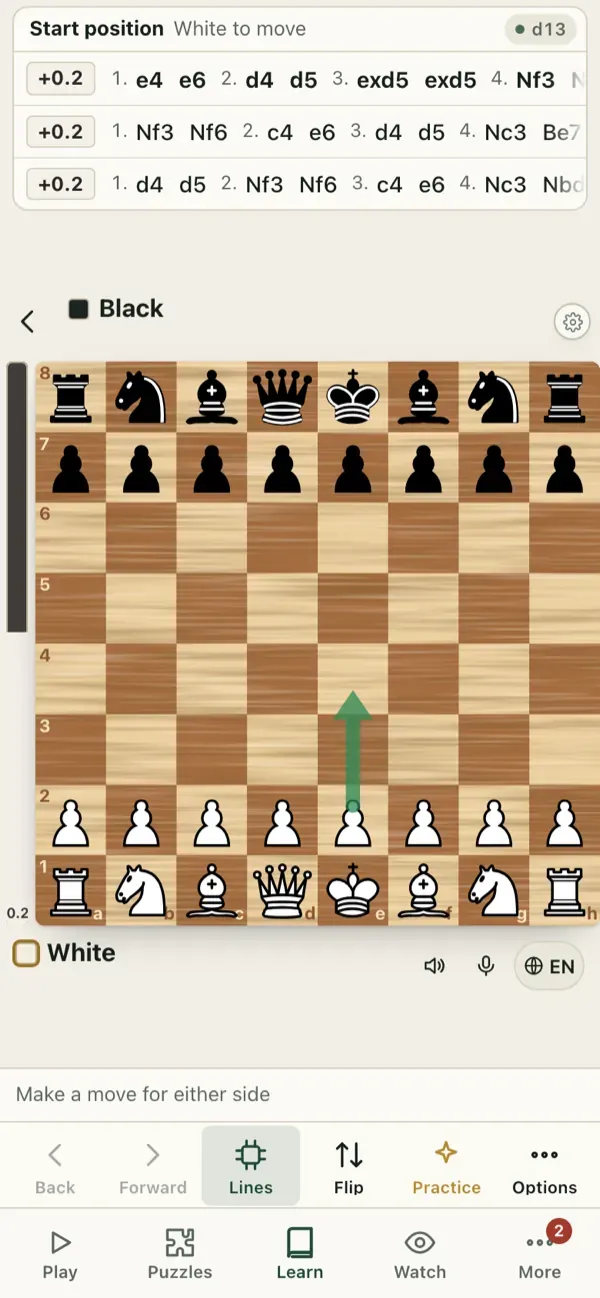
What you can do
- Play any moves for either side. Every move gets a label (Best, Good, Mistake and so on) from the engine.
- See the engine lines: the best continuations, with the evaluation (positive is better for White). Turn the engine on or off, and raise the depth for a closer look.
- Load a position (FEN), a game (PGN) or a chess.com game link.
- Go back and forth, make variations and keep the tree.
- Practise this position against the coach from any point.
- Draw arrows and circles to mark ideas.
How to use it well
- Think first, then check. Write down the moves you want to look at before you turn on the engine.
- Ask the engine “why not?” for the moves you rejected.
- Use it for your own opening ideas: try a new line, see the evaluation, then add it to the lines trainer.
Tip: at higher levels the engine shows what works. Understanding why is your job: always write down a plan in words.
Related: Game Review.
Open in the app: https://chessgm.net/analysis
Open this in chessGM (opens in a new tab)
chessGM is not affiliated with Chess.com, Lichess or Stockfish; they are named only to say what the app can read or compare with.