
A handful of switches in the settings of Carrom by 22Softwares change how the game feels quite a lot: how much help you get with aiming, whether you play by competition rules, how fast strokes play out, and how easy the board is to read. None of them change the physics or the rules of scoring, and none of them cost anything.
This guide goes through the settings one by one, says what each actually does (we checked every one against the game’s code), and suggests who should change it.
You will find the screen on the Settings tab, the gear icon at the bottom right of the home screen.
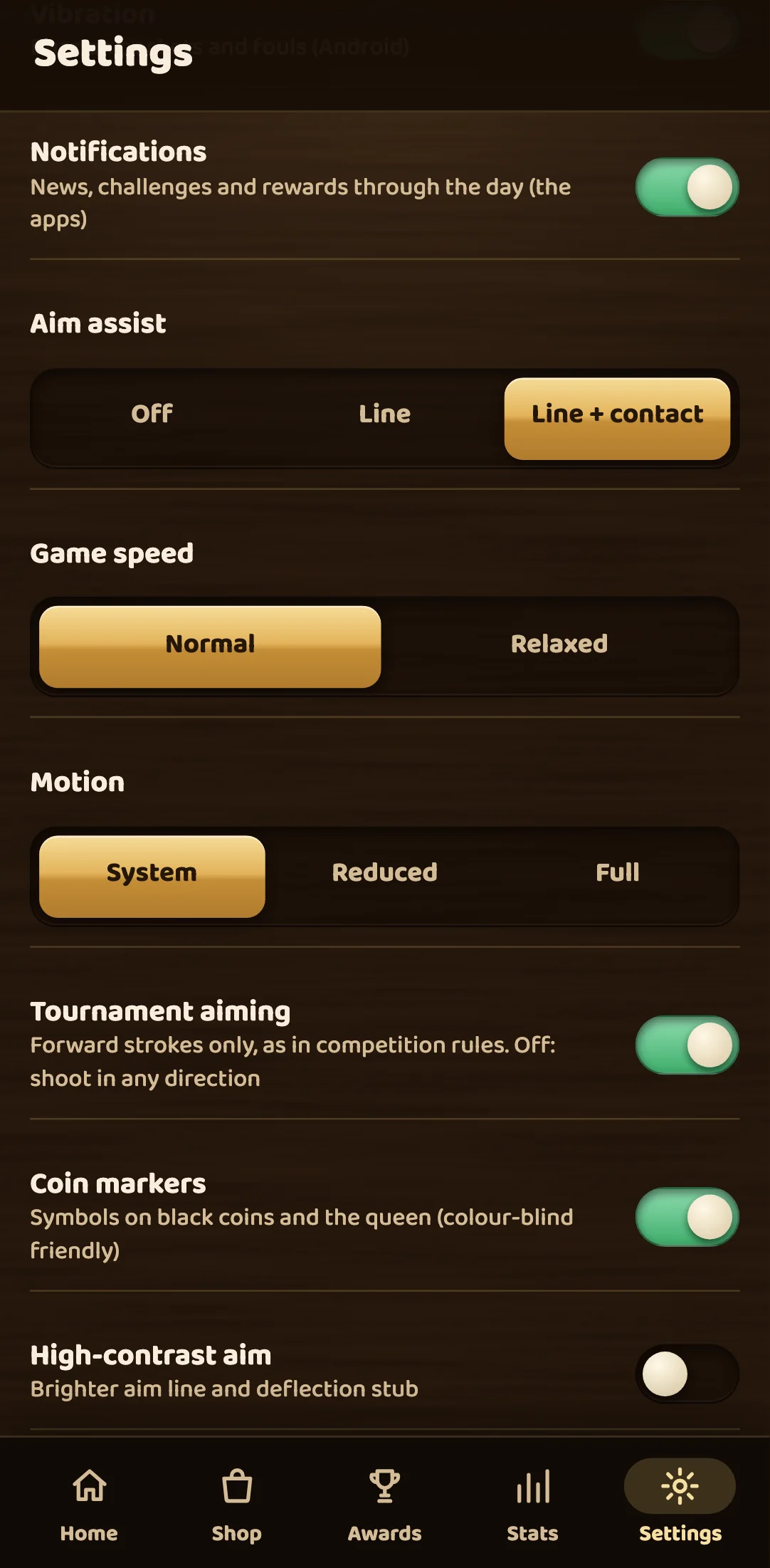
Aim assist: how much the game shows you before you shoot
Aim assist has three choices: Off, Line and Line + contact. A new player starts on Line + contact.
Whatever you choose, you always see the power arrow. When you pull back from the striker, an arrow grows out of it along your aim. It gets longer and changes colour from green through yellow to red as the power goes up, so you can judge a stroke without reading a number.
With Line or Line + contact, matches against a bot you choose from the menu, and the tutorial, add a second hint: a short white arrow that starts at the coin your striker will hit first and shows which way that coin will go. It is the best aid in the game for learning cut shots. The arrow is always the same short length. It tells you the direction, not the distance, so you still have to choose the power yourself. When the line runs into a pocket, its arrowhead points into the middle of the hole.
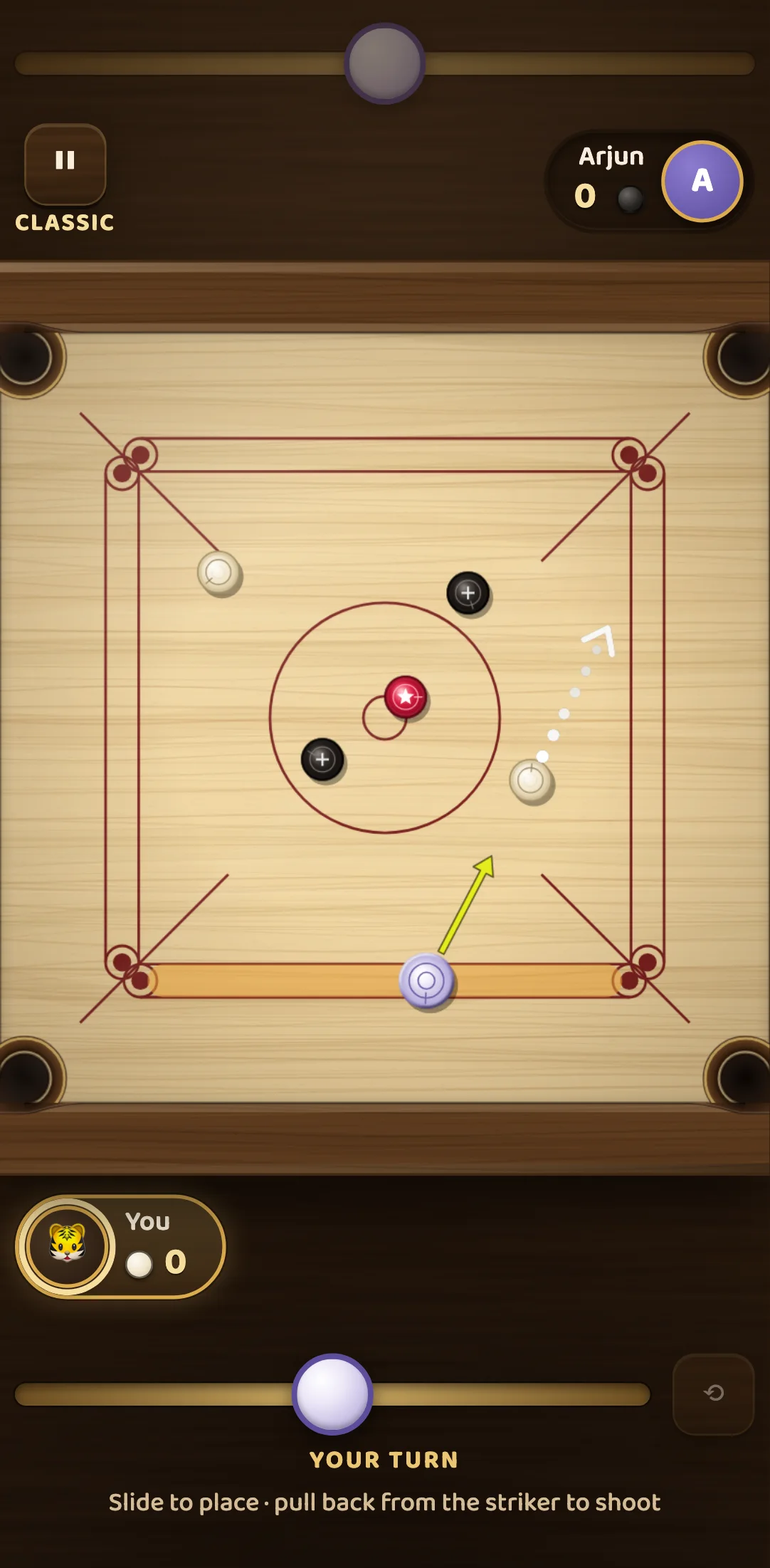
Set aim assist to Off and the white arrow disappears. All you have is the power arrow and your own eye, which is how carrom is played on a real board.
Our suggestion: leave assist on while you are learning angles. Once you can reliably find the contact point on a coin by eye, try a few matches with it off.
Tournament aiming: forward strokes only
On a real board, the striker is flicked from your baseline up the board, away from you. Casual play is often relaxed about this, and so is the game: by default you may shoot in any direction, even backwards towards your own edge and off a cushion.
Turn on Tournament aiming and only forward strokes are allowed, as in competition rules. In the code, a stroke counts as forward when it heads up the board, away from your own edge, by more than about three degrees from straight sideways. Aim further back than that and three things happen: the power arrow turns grey, the hint under the board says “Strokes must go forward, up the board”, and letting go cancels the stroke instead of playing it. Nothing is wasted. You just aim again.
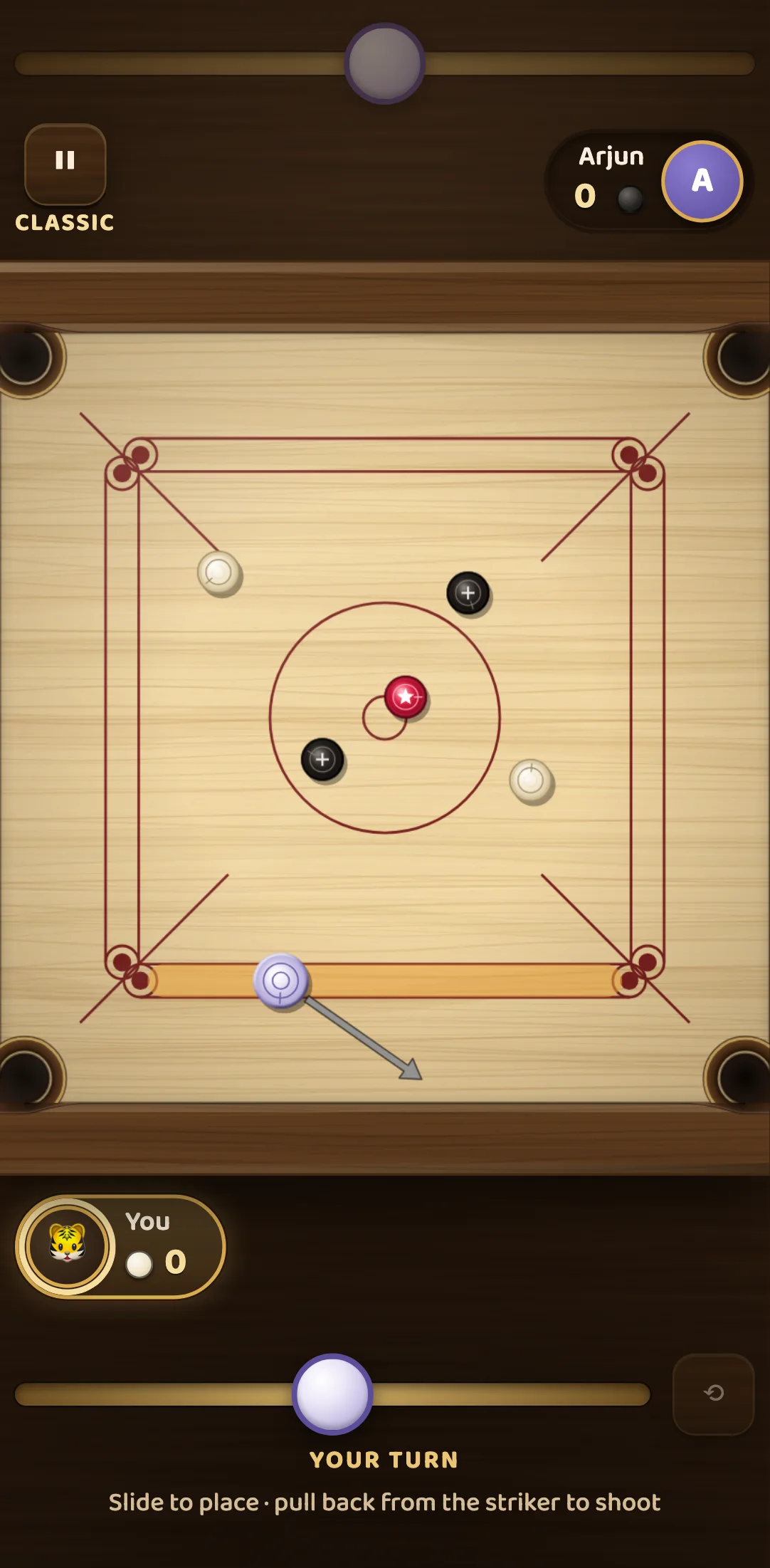
The bots follow the same rule. With Tournament aiming on, Easy, Medium, Hard and Expert all choose only from forward strokes, so neither side gets an advantage from it.
Who should turn it on? Anyone who plays on a physical board, or who wants practice to match the way club and tournament carrom is played.
Game speed: Normal or Relaxed
Strokes in Carrom never play at full real-time speed. On Normal, a stroke plays back at 80 percent of real time, so you can follow every collision. Relaxed slows that to 65 percent.
This is purely visual. The game’s physics runs in fixed steps of 1/120 of a second whatever the screen shows, and the result of a stroke is worked out the same way at either speed. Relaxed does not make coins travel further or slow down differently. You simply get more time to watch where they go.
Relaxed is worth trying if you are teaching someone, if you want to study how coins come off each other, or if the action feels hard to follow on a small screen.
Motion: System, Reduced or Full
The game has a fair amount of movement for fun: the screen shakes on a big hit, sparks burst on a pocket, confetti falls when you win, scores roll up instead of jumping, pieces leave short trails and spin as they slide, and in Tal Gach the tower topples with an animation.
Reduced turns all of that off. The board still plays exactly the same, but pieces simply appear where they land when the tower falls, the board turns to the next player at once instead of rotating, and numbers change in a single step. Full keeps every effect. System, the default, follows your phone’s or computer’s own “reduce motion” accessibility setting, so if you have already asked your device for less animation, Carrom respects it without you doing anything.
If movement on screen makes you uncomfortable, or you just prefer a calm board, choose Reduced.
Coin markers: a colour-blind friendly board
The red queen next to a dark coin can be hard to pick out for players with colour blindness, or in bright sunlight.
Coin markers draws a symbol on the pieces: a white star on the queen and a light cross on every black coin. White coins stay plain. You can see them in the second picture above. The markers rotate with the board, so they stay upright for whoever is playing. The switch is off by default.
Adaptive bots
Adaptive bots is on by default. After each match against a bot, the game nudges a hidden “form” score: down a quarter step when you lose, up a quarter step when you win, never past a set limit either way. That form changes how much random error the bots put into their aim. After a run of losses they can be up to 35 percent less accurate than normal, and after a run of wins up to 35 percent more accurate.
It is a gentle effect, and it only touches the bots’ aim. It never changes your strokes, the physics or the rules. Turn it off if you want a fixed opponent, for example to measure your progress against the Hard bot over several weeks.
Sound, music, voice and vibration
- Sound is the master switch. Off silences the music and every sound effect.
- Music (60 percent to start with) covers the menu theme and the short tune on the results screen. Matches themselves play only the board’s sounds, so the music fades out when play begins.
- Sound effects (90 percent to start with) covers clicks, coins, pockets and fanfares. Both sliders move in 5 percent steps, and you hear the new level while you slide.
- Voice sets how loud the other players are in online voice chat. Muting the game’s sound does not mute voice chat.
- Voice with others, when on, turns your microphone on when another player in the room turns theirs on. Turn it off if you only want voice when you choose it.
- Vibration gives a short buzz on a pocket, a pattern on a foul and a longer one on a win. It works where the device supports web vibration, which in practice means Android. iPhones ignore it.
Language, keyboard and the rest
The language list offers 38 languages, each shown in its own name (with the English name beside it). Changing it changes the whole game, including the rules screens.
On a computer, the Keyboard row is a reminder of the controls: the left and right arrows move the striker (hold Shift for fine steps), A and D turn the aim, you hold Space to charge power and release it to shoot, R changes side in solo modes such as Practice, and Esc pauses or cancels.
A quick setup for each kind of player
- Brand new to carrom: Aim assist on Line + contact, Game speed Relaxed, Adaptive bots on.
- Improving and want a challenge: Aim assist Off, Tournament aiming on, Adaptive bots off.
- Colour blindness, or playing outdoors: Coin markers on.
- Sensitive to motion, or prefer a calm screen: Motion on Reduced.
None of these choices change what a stroke does on the board, so try them freely.
Facts checked with the Carrom by 22Softwares team against the game’s rules engine.