
Playing carrom against a bot is good practice, but most people come back to the game to play someone real: a friend across town, a cousin abroad, or a stranger at about their level. This guide explains how online play works in Carrom by 22Softwares, the free carrom game we make for phones and the web. It covers the three ways to find a match, what happens on the room screen, the rules that only apply online, and exactly how your rating goes up and down.
Three ways to start an online match
Tap Online on the home screen and a sheet opens with your current game type at the top.
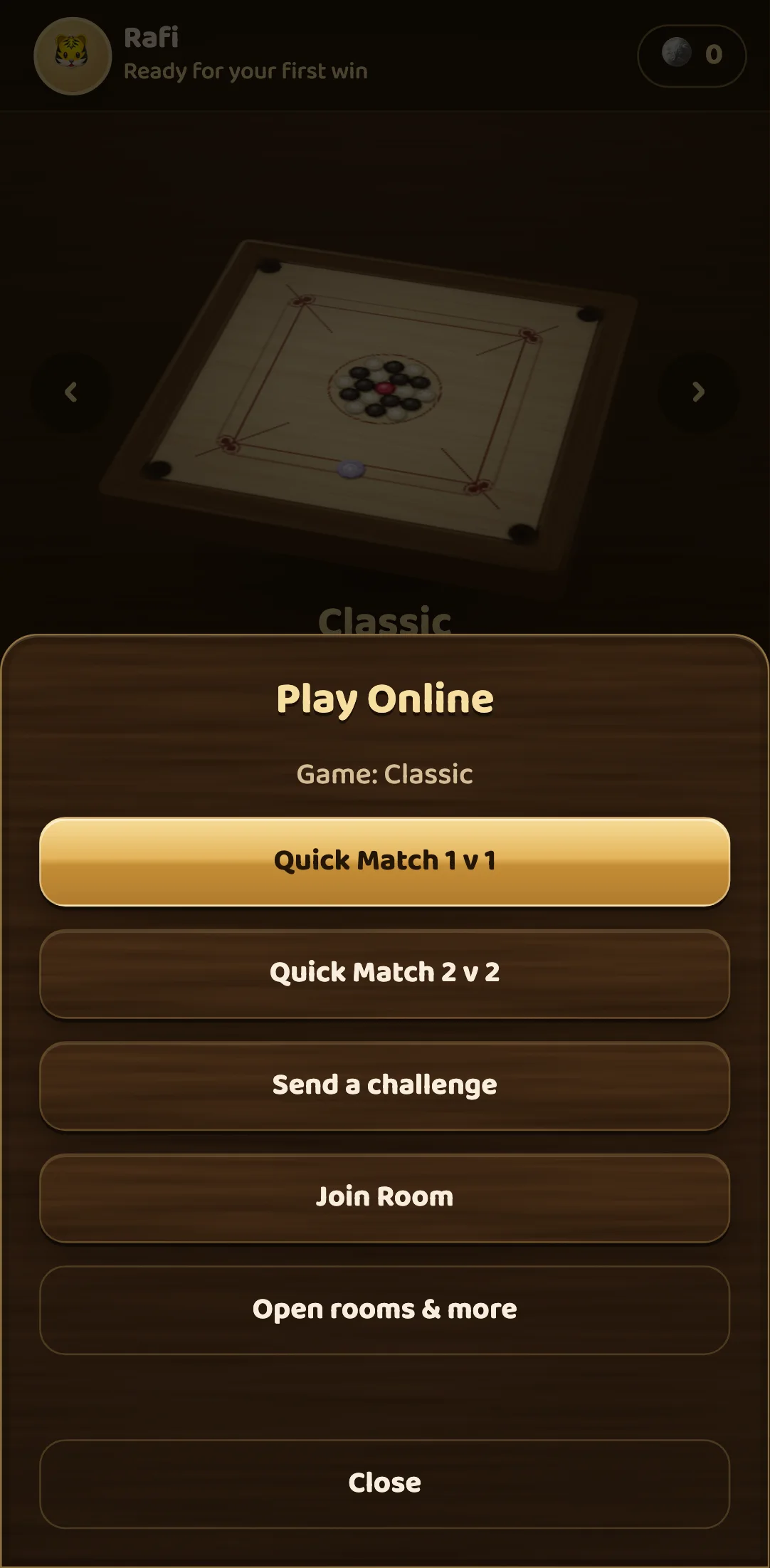
- Quick Match finds you an opponent automatically. There is a 1 v 1 button and a 2 v 2 button. For Tal Gach and Freestyle, a three-player game (each player for themselves) can be chosen on the full online screen.
- Send a challenge creates a room and gives you a link to send. The link opens Carrom for your friend, in the app if they have it or in the browser if they do not, and seats them at your table.
- Join Room takes a room code or a pasted link from a friend.
Open rooms & more leads to the full online screen, where you choose the game type and the number of players, see the public rooms that are waiting, and can create or join a room by code.
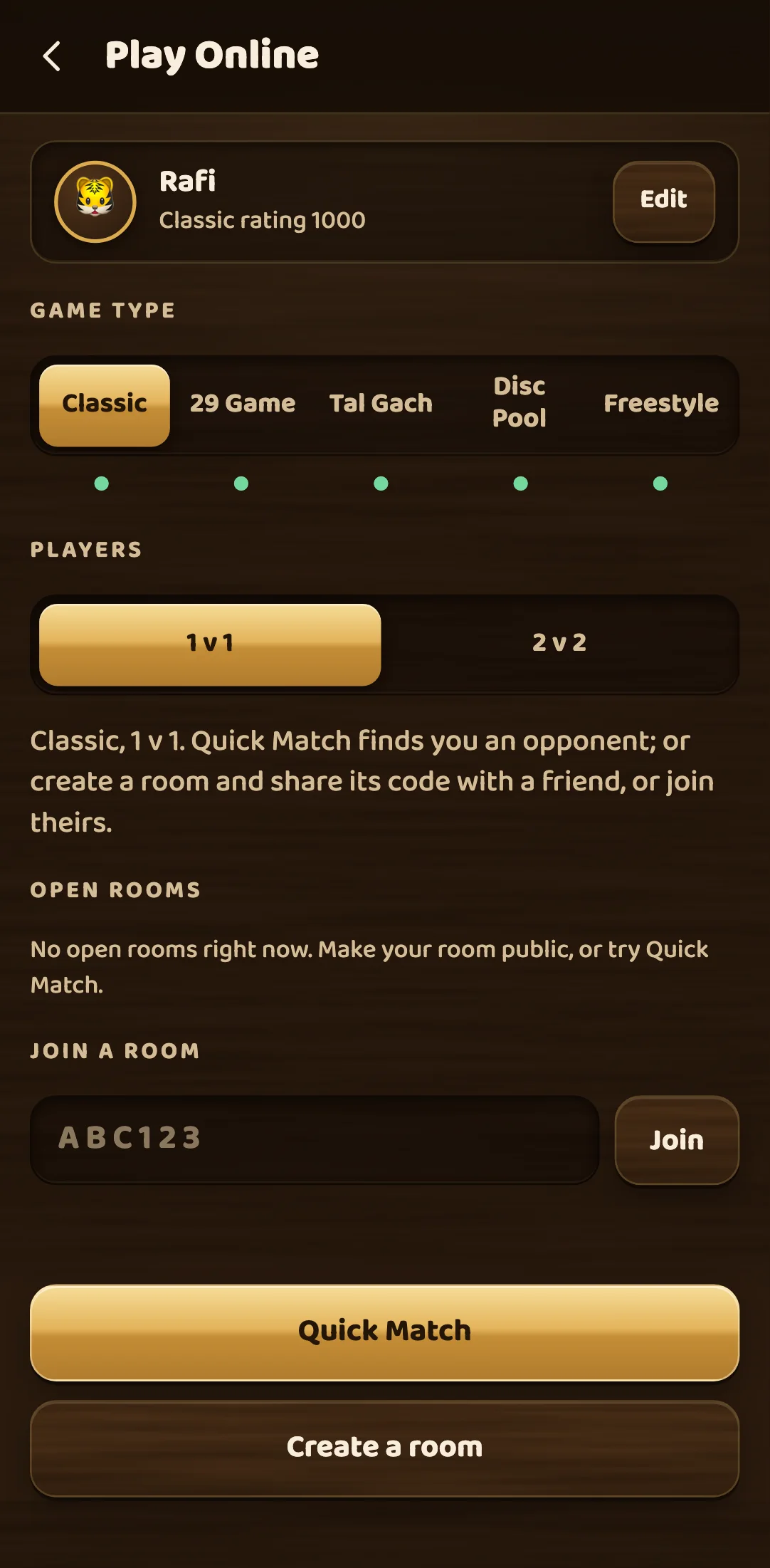
All five game types can be played online: Classic, the 29 Game, Tal Gach, Disc Pool and Freestyle. Your name and picture are shown to other players, along with your flag if you have set a country. Names are 3 to 16 characters. You do not need an account to play online, but signing in with Google or Apple keeps your name, rating and progress if you change phones.
Quick Match: who you get paired with
When you press Quick Match, the game looks for other players searching for the same game type and the same number of players, at a rating close to yours. How close depends on how long you have been waiting:
- For the first 10 seconds, only players within 100 points of you.
- From 10 to 20 seconds, within 200 points.
- After 20 seconds, anyone who is searching.
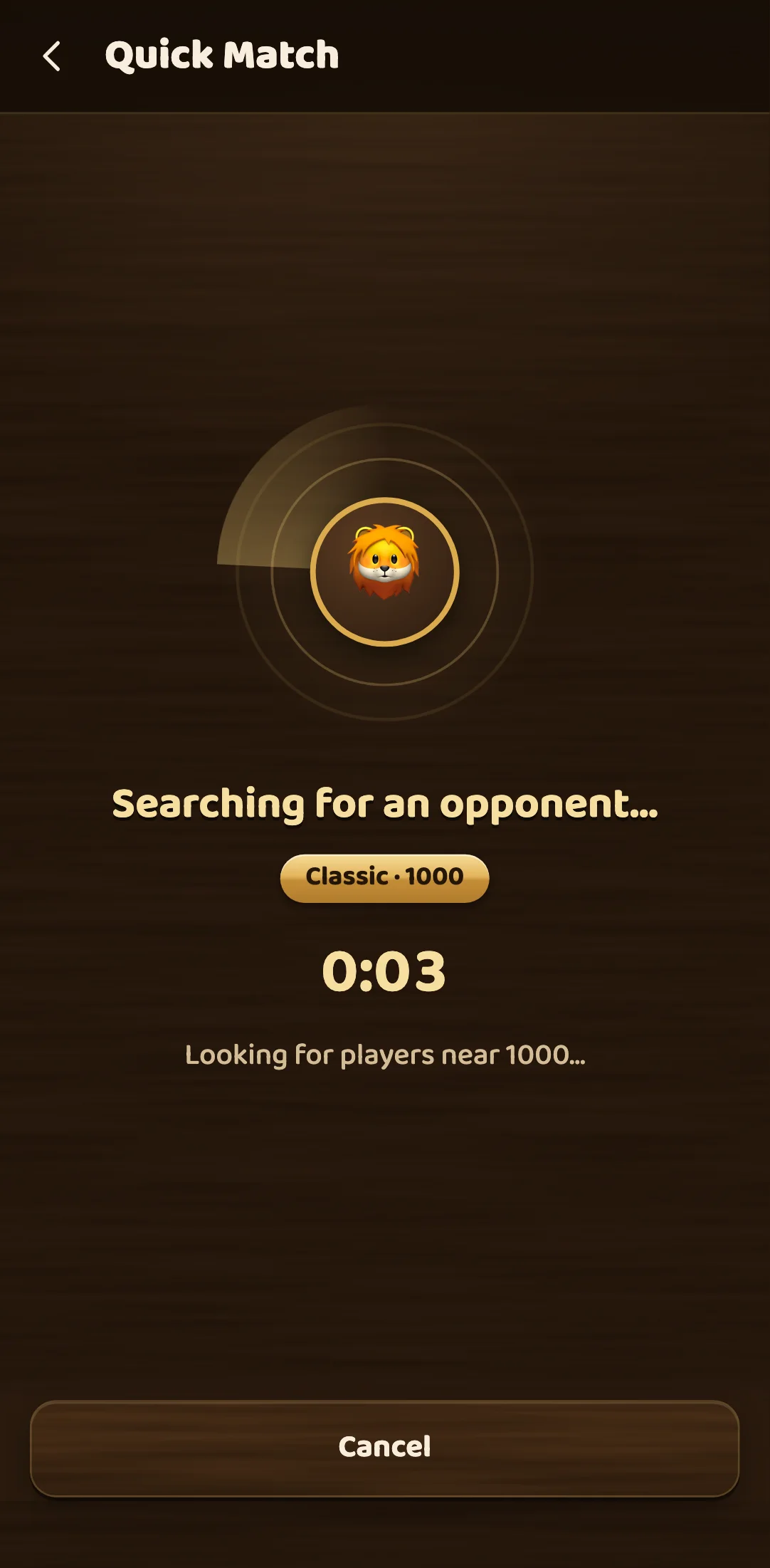
So a quick pairing is usually an even one, and a long wait trades a little fairness for a game. The search screen shows how long you have been waiting and what rating the game is looking near.
Players are only matched with others on the same version of the game. Both phones run the same physics, and a newer version may play a stroke slightly differently, so mixing versions could make two boards disagree.
In 2 v 2, the game seats the four players so that the two teams’ average ratings are as close as possible. Your partner sits opposite you, as on a real board.
If nobody is free
When no one turns up after a short wait, a bot starts a game with you while the search goes on. It is clearly labelled with a BOT tag on its picture, so you always know you are playing the computer. If a real player turns up, you are offered the match, and the bot game simply ends. That bot game does not change your online rating. One thing to know: if you quit a bot game that has started, or close the app and stay away for too long, it counts as a loss in your match record, so restarting cannot protect a winning streak.
Rooms: playing a friend
Create a room gives you a six-character room code. Read it out, press Copy code, or use Share link. Your friend types the code (upper or lower case both work) or opens the link.
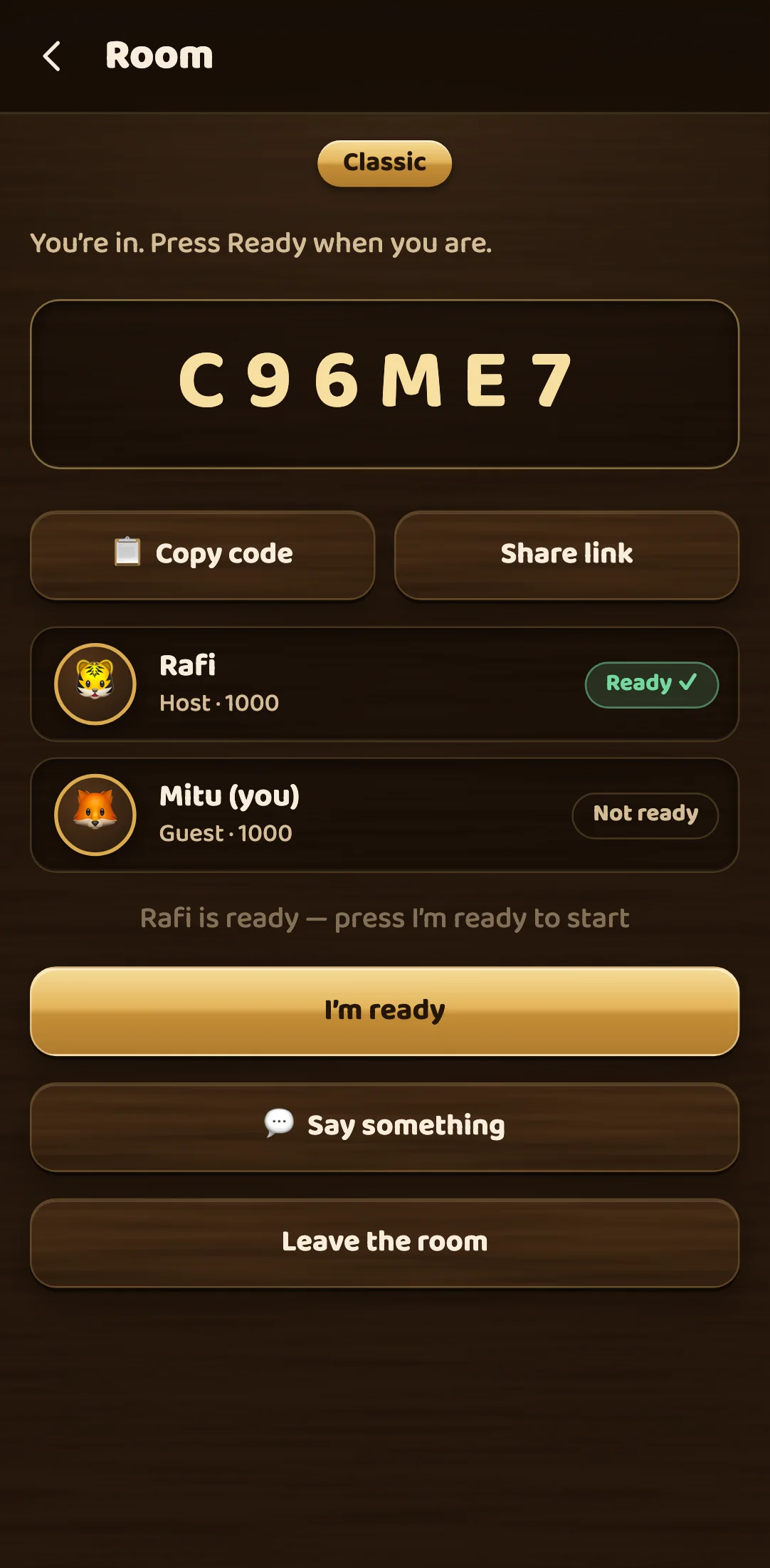
The room shows both players with their rating for that game type. The match starts only when everyone has pressed I’m ready, so nobody is caught mid-sentence by the first stroke. While you wait you can use Say something to send a quick message.
As host, you can also make your room public. A public room is listed under Open rooms for anyone to join, which is a good way to find a game when Quick Match is quiet. The host can also remove a player from the room. A waiting room closes once its host has been offline for ten minutes.
Rules that only apply online
The board rules online are the same as offline: the queen, the cover, fouls and the win all work exactly as in a local game. A few extra rules exist because the other player is somewhere else.
The turn clock. Each turn has a clock, shown as a ring around the player’s picture. The clock is at most 20 seconds, and your phone beeps once a second for the last few seconds of your own turn. If time runs out, your turn passes. Miss two turns in a row and you lose the match. This stops a game from stalling when someone has wandered off.
Disconnects. If a player’s connection drops, the others see a message and the game waits 20 seconds for them to come back. A short drop, such as switching from Wi-Fi to mobile data, is usually fine: the match is rebuilt from the room’s list of strokes, so a reload or reconnect puts you back on exactly the same board.
Leaving. If someone leaves before the first stroke, nothing is recorded. If they leave after the match has started, it counts as a win for the other side. In 2 v 2, if your partner leaves, your team loses. In a three-player game, of the two players still at the table, the one with more points wins.
Talking. You can talk to the others with a fixed set of emotes and short messages such as Nice shot! and Rematch?, at most one every two seconds. There is no free-text chat, so there is nothing offensive to read. Voice chat is also available, with a daily limit on how many matches you can use it in. Your microphone is off in every match until you tap the mic button.
How your rating works
Every player starts at 1000, and you have a separate rating for each game type. Being good at Disc Pool does not inflate your Classic rating, and the online screen shows the rating for the game type you have chosen.
The rating uses the Elo system, the same idea chess has used for decades. Before the match, the game works out how likely each player is to win from the gap between your ratings. After the match, you move by 32 times the difference between what happened and what was expected. In practice:
- Equal ratings (1000 against 1000): the winner gains 16 and the loser drops 16.
- You are the underdog (1000 against 1200): win and you gain about 24; lose and you drop only about 8.
- You are the favourite (1200 against 1000): win and you gain about 8; lose and you drop about 24.
Beating a stronger player is worth more than beating a weaker one, and losing to a stronger player costs little. The two players’ changes always add up to zero, so rating points move between players rather than appearing from nowhere. No single match can move a rating by more than 40 points.
In 2 v 2, each team plays at the average of its two partners’ ratings, and both partners move by the team’s change. In three-player games, each pair of players is treated as a half-weight match: the winner beat both others, and the other two drew with each other.
After each match the result screen shows your old rating, your new one and the change.
A few tips for your first online games
- Warm up against a bot first. A few boards against Medium bring your power control back before you risk rating points.
- Plan while they play. Twenty seconds is plenty if you choose your shot during your opponent’s turn.
- Do not leave a game you are losing. Leaving after the match has started counts as a loss anyway, and boards turn around quickly once the queen is in play.
Carrom by 22Softwares is free on Android (Google Play), iPhone and iPad (App Store) and the web at carrom.22softwares.com.
Facts checked with the Carrom by 22Softwares team against the game’s rules engine.